
ARMORY /
Know exactly what you are shipping.
A mineral-green asset workbench pairs a large interactive 3D stage with an object inspector and collection shelf. Three original GLBs can be inspected and downloaded from the public interface.
- Practice
- Digital products
- Built by
- Lumia Digital
- Application
- Independent source & workspace
- Current release
- Local / September 2026
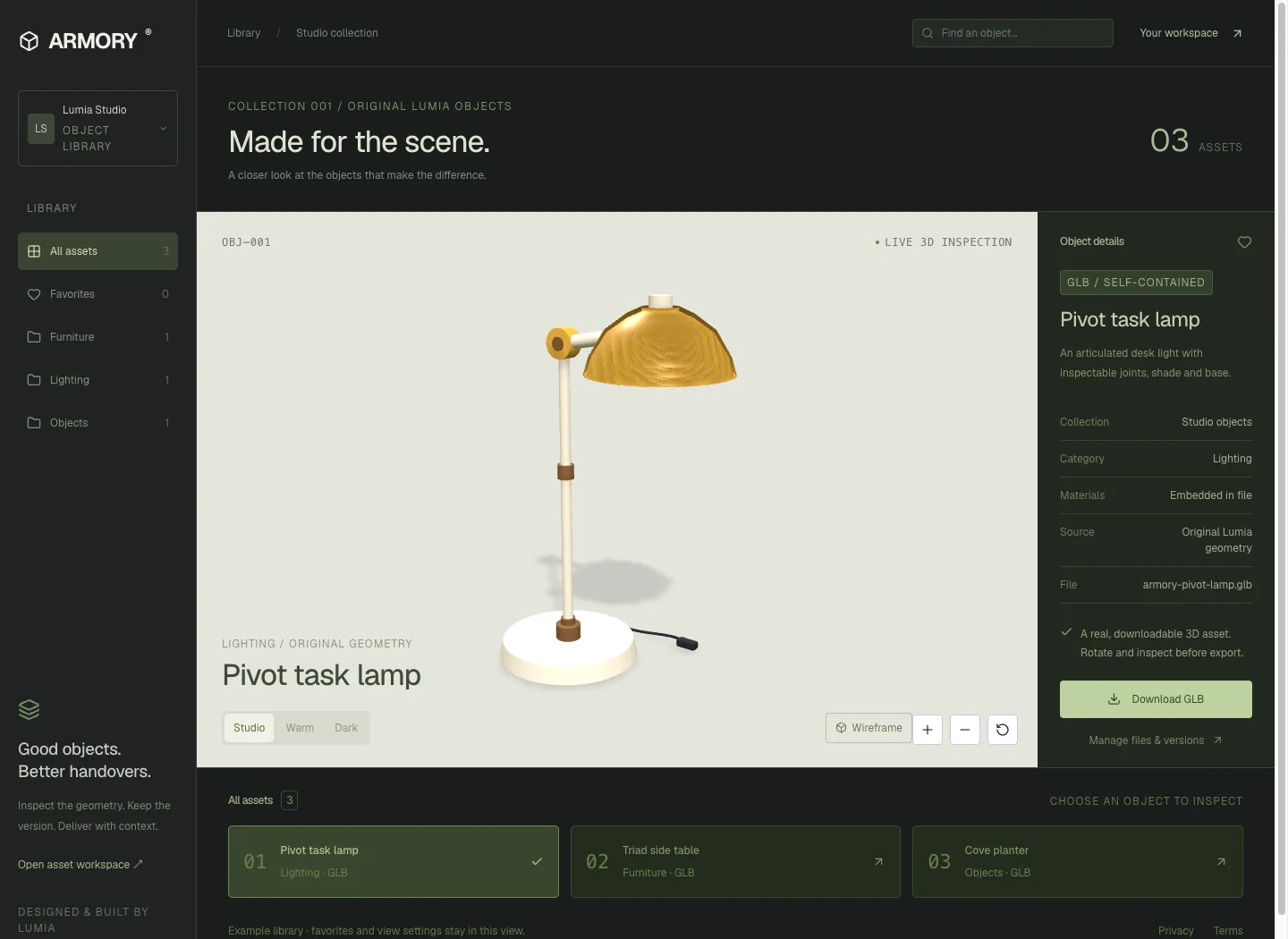
A spatial library for production assets.
A mineral-green asset workbench pairs a large interactive 3D stage with an object inspector and collection shelf. Three original GLBs can be inspected and downloaded from the public interface.
model-viewer and Three.js inspectionThe problem worth solving.
A folder of models rarely explains which version a delivery used, whether textures are embedded, or what rights accompanied a file. Artists lose time inspecting the same assets, while producers risk sending a newer file than the one they reviewed.
ARMORY turns a supported model into an inspectable, versioned asset record. Geometry, materials and declared rights travel with a specific version. A delivery collection pins those versions and produces a real ZIP with a manifest, making the handover checkable after the library changes.
Designed for: Small 3D studios, independent artists and production teams managing reusable, self-contained models and version-specific deliveries.
From input to a useful result.
Register the asset and its rights
Upload a self-contained GLB with a descriptive title, useful tags and a rights statement you can support. Confirm that you hold permission to upload and share it. ARMORY records this declaration with the asset; it does not decide a licence for you. Begin with a model whose dependencies are embedded.
Inspect before committing to reuse
Open the actual model in the viewport. Use wireframe to understand the mesh and the exploded view to distinguish named parts. Read the reported mesh, material, node and file-size counts. These observations help an artist decide whether the asset fits the next scene before downloading or including it in a delivery.
Keep revisions without changing old handovers
Upload a revision as another version of the asset. The library can point to the newer version while an existing delivery continues to reference the earlier one. Name collections around an actual handover or review milestone so their purpose remains clear when several versions coexist in the same workspace.
Deliver files with an inspectable manifest
Select the exact asset versions for a collection and download its ZIP. The bundle includes the original GLB bytes and a manifest identifying each file, version, rights statement and checksum. Inspect the manifest when handing work to another tool or person. Search by tags when returning to the library for a later job.
What the software actually did.
These results come from internal workflow testing of the local product. The records are controlled test inputs; customer deployments and commercial impact have not been measured.
Original assets were actually inspected
Browser QA loaded the original three-model Lumia collection and inspected a lamp’s named parts through wireframe and exploded views. These were actual self-contained models rather than generated screenshots of a product interface. The collection provides a lamp, side table and planter for exercising the library’s inspection and delivery workflow.
A two-version delivery test
An original Nexus One device model was uploaded as the first version of a synthetic asset. Its report showed 99 meshes, 12 materials, 120 nodes and 1,249,892 bytes. A delivery was saved, then the asset received a Nexus Pro second version with 153 meshes and 1,614,892 bytes.
The older delivery stayed exact
The ZIP was downloaded after the second upload. Its model still matched the original first-version file byte for byte, and the manifest retained the original rights statement. This checks the important handover invariant directly: updating the library did not replace the bytes selected for an existing delivery collection.
Make the boundary clear.
- The supported asset input is a validated, self-contained GLB 2.0 model. Arbitrary DCC project files and external dependency trees are outside this delivery contract.
- The current aggregate delivery cap is 20 MB; larger handovers need separate collections.
- A rights statement is supplied by the owner. ARMORY does not provide automatic legal licence verification.
- Viewport inspection and structural counts do not establish animation quality, material compatibility with every renderer or fitness for a client's production.
- The original collection demonstrates the software; it is not evidence of asset sales or external client work.
Questions before you start.
Will updating an asset change an existing delivery?
A delivery pins selected versions. The tested ZIP retained its original version after a newer asset upload.
Does ARMORY confirm that a model is commercially licensed?
No. It records the rights statement and confirmation supplied by the owner and includes that declaration in the handover.
Are the download files the originals?
The bundle includes stored original GLB bytes after a checksum verification. The browser test confirmed byte-for-byte fidelity for a pinned version.
What should I do with a large collection?
The current bundle limit is 20 MB of model files. Divide larger handovers into clearly named collections.
More from this practice.
All fifteen products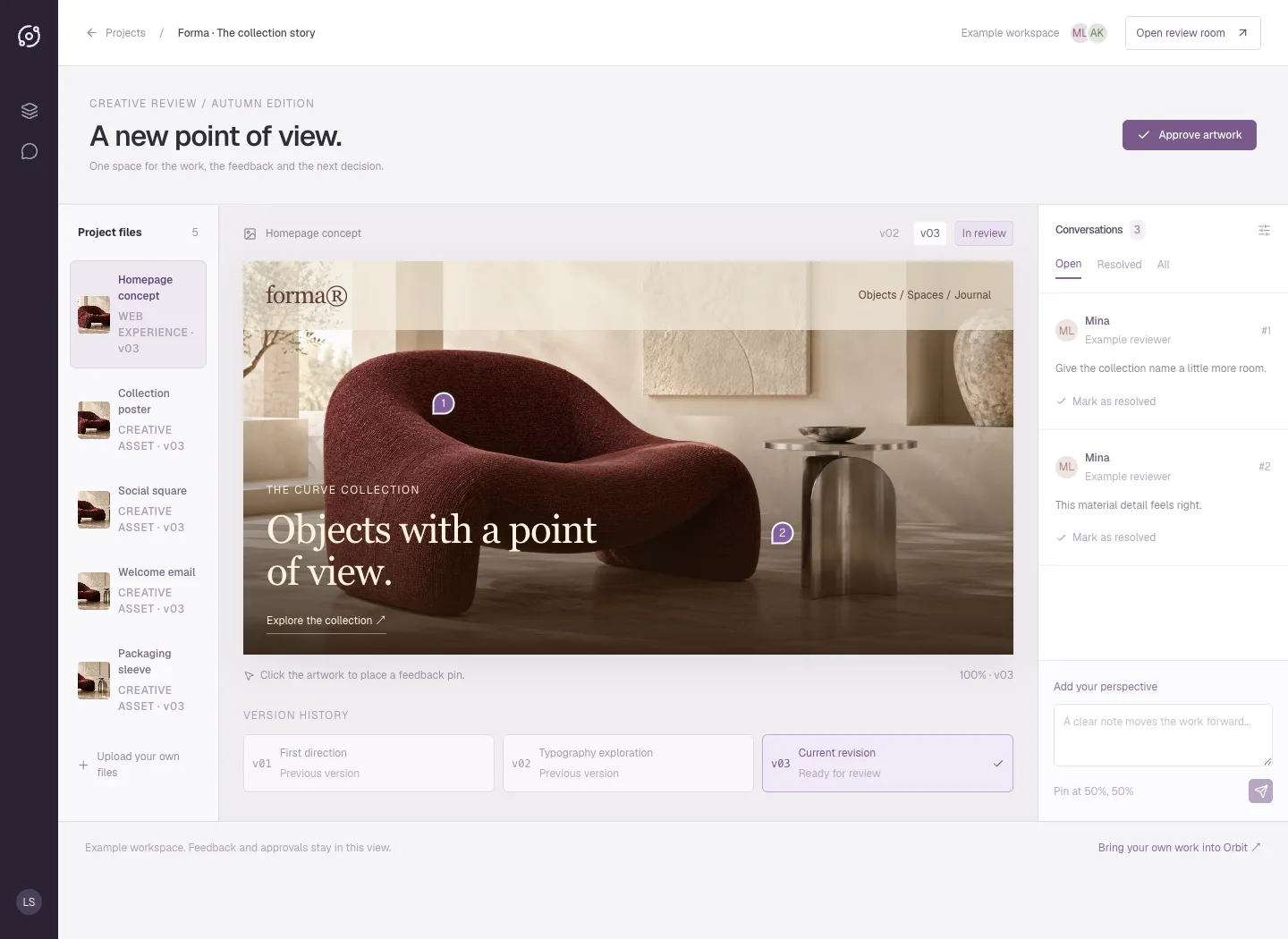
Orbit
A plum review room puts the artwork at the centre, with a project-file rail, version history, numbered pins and threaded feedback. The public interface is an interactive example of a full-stack creative-review app.
Explore the case study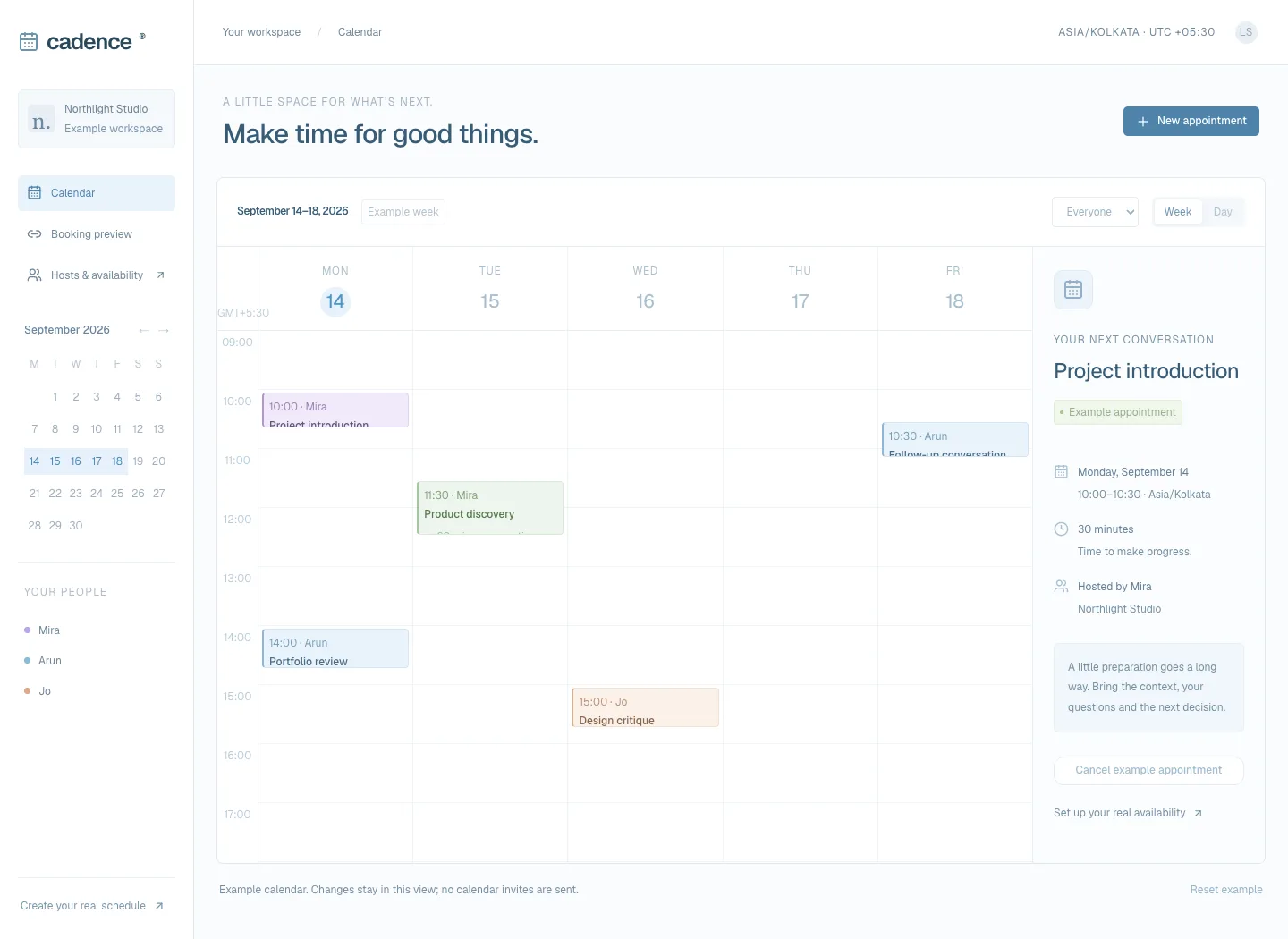
Cadence
A light blue calendar workspace brings the week, host filters and appointment details together. The interface preview supports local appointment creation and conflict checks, with a day view on small screens.
Explore the case study